
tidymenu
A calmer right-click menu on tracks. rekordbox's greyed-out items are left out, and the mods' window items go in one platendoos submenu, with Re-analyze track next to it.
PlatformmacOS and Windows
GroupBrowsing and playing
Switch
tidymenu=0 turns it off (restart rekordbox)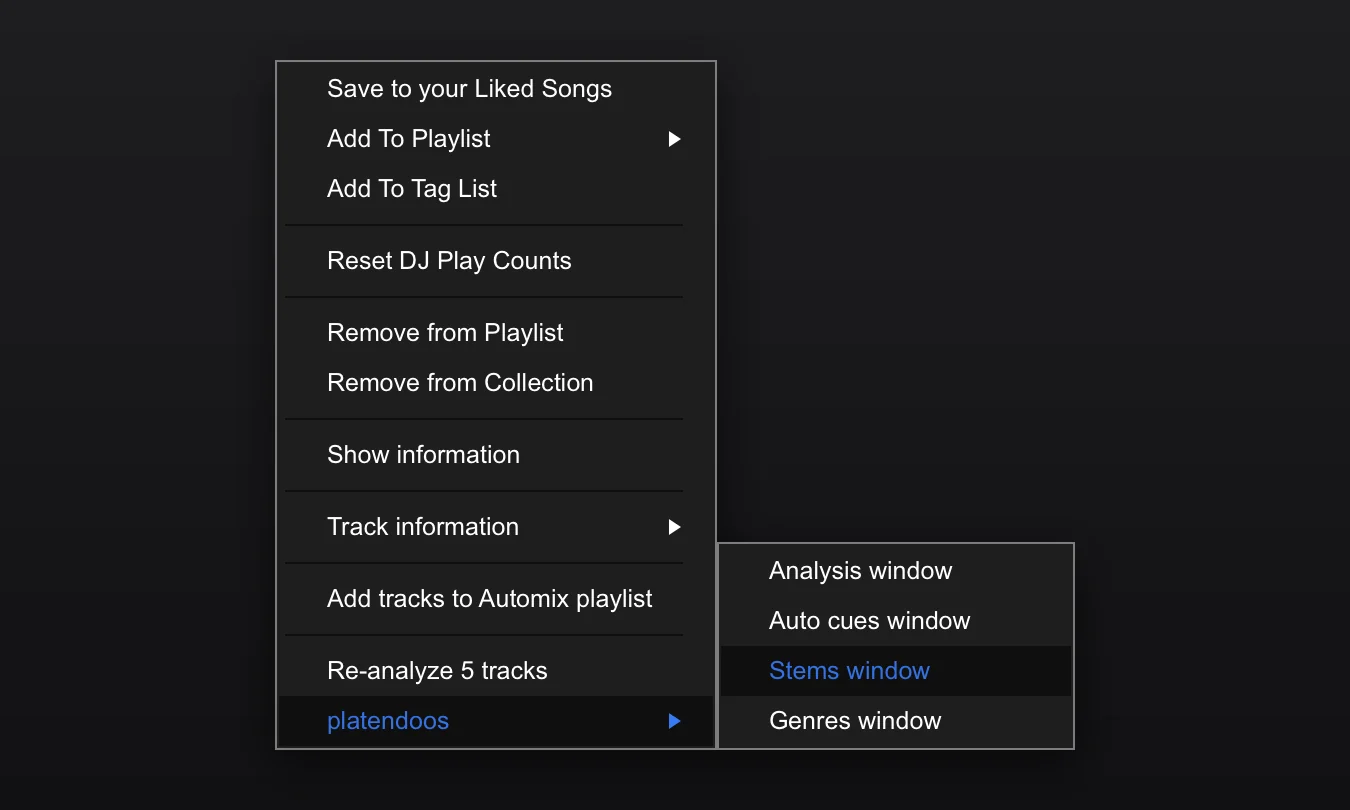
What it does
- Greyed-out items are left out (ten of rekordbox's twenty-two on a Spotify track), and the separators that would then stand at the top, at the bottom or twice in a row. Only what can be clicked is listed. Nothing that works goes away: the items are rekordbox's own, with their submenus and ticks, and an item is back as soon as rekordbox enables it.
- The mods' items go in one submenu, platendoos, under short names: Analysis window, Auto cues window, Stems window and Genres window.
- What a mod does right there stays in the menu itself: Re-analyze track (or Re-analyze 5 tracks) analyses the selected tracks again right away, without rekordbox's Analysis Setting dialog.
A window opened from the submenu lists only the selected tracks, as "5 tracks from" the playlist, and everything it does is limited to them.
Without tidymenu (or with tidymenu_group=0) the same items are in the menu itself, as Open … window for 5 tracks.
Options
| Option | Default | What it does |
|---|---|---|
tidymenu | 1 | 0 switches the mod off (restart). |
tidymenu_hide | 1 | 0: rekordbox's greyed-out items stay. |
tidymenu_group | 1 | 0: the mods' items stay in the menu itself, under their long names. |
tidymenu_log | 0 | 1 logs the items of each menu shown (for debugging). |
Platform notes
macOS since 0.3.0, Windows since 0.3.1 (rekordbox 7.2.19 and 7.2.20).
Related
analyzer · genres · stemcache · First steps